XStore Documentation

What is the RatOn Android Malware, and How Can I Protect My Banking and Crypto Accounts?

🔍 What Happened?

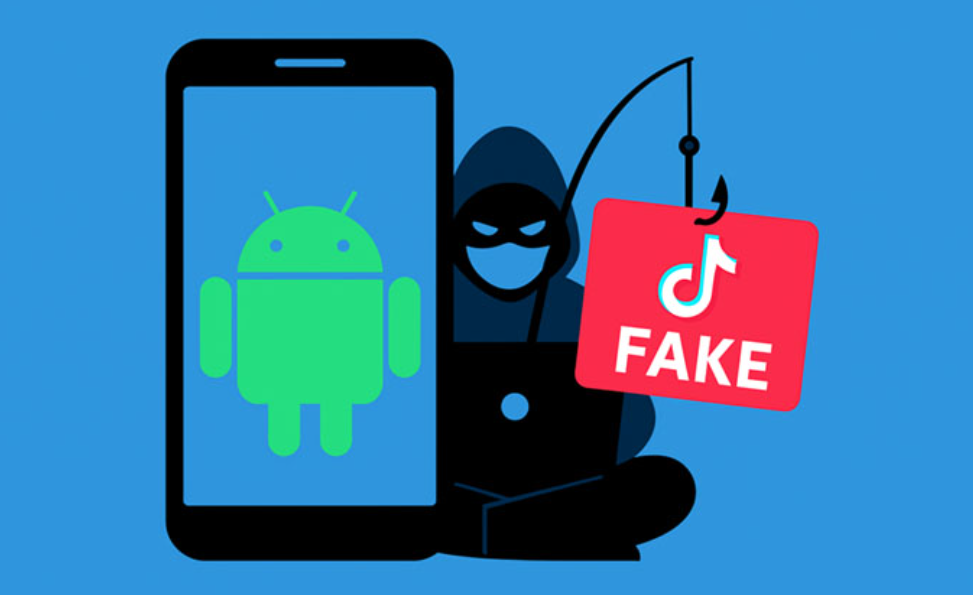
A sophisticated Android malware named RatOn has emerged, evolving from a basic NFC relay tool into a potent Remote Access Trojan (RAT). It now features Automated Transfer System (ATS) capabilities, enabling cybercriminals to automate financial fraud directly from infected Android devices. RatOn primarily targets banking and cryptocurrency applications, including MetaMask, Trust Wallet, Blockchain.com, Phantom, and the George Česko banking app in the Czech Republic.

🛠️ How Does This Work?

RatOn is distributed through malicious apps masquerading as adult versions of TikTok, such as “TikTok 18+,” available on fake Play Store listings. Once installed, these apps request elevated permissions, including device administration and accessibility services, to install a secondary payload known as NFSkate. NFSkate utilizes NFC relay attacks to perform unauthorized transactions by exploiting contactless payment systems. Additionally, RatOn can overlay fake login screens to steal credentials and simulate ransomware attacks by locking the device and demanding cryptocurrency payments.

🔎 How Can I Tell If I’m Infected?

Signs of RatOn infection may include:

  • Unexpected screen overlays mimicking legitimate banking or crypto apps.

  • Unauthorized transactions or changes in financial accounts.

  • Device performance issues or unusual behavior.

  • Requests for unusual permissions or settings changes.

If you notice any of these symptoms, it’s crucial to take immediate action.

🚨 I Think I Am Compromised. What Now?

If you suspect your device is infected:

  1. Disconnect from the Internet: Disable Wi-Fi and mobile data to prevent further unauthorized access.

  2. Revoke Permissions: Go to your device’s settings and revoke any suspicious app permissions, especially for accessibility services.

  3. Uninstall Suspicious Apps: Remove any apps that you did not install from official sources.

  4. Run Security Software: Use reputable antivirus or anti-malware software to scan and clean your device.

  5. Change Credentials: On a secure and different device, change passwords for your banking and cryptocurrency accounts.

  6. Monitor Accounts: Regularly check your financial accounts for unauthorized transactions.

🛡️ How Do I Prevent Compromise?

To protect yourself from RatOn and similar threats:

  • Download Apps Only from Official Sources: Use the Official Google Play Store and avoid sideloading apps.

  • Enable Google Play Protect: Keep this feature active to scan for malicious apps.

  • Be Cautious with Permissions: Limit app permissions to only those necessary for functionality.

  • Avoid Suspicious Links: Do not click on links from unknown or untrusted sources.

  • Use Security Software: Install and regularly update reputable antivirus or anti-malware software.

  • Keep Your Device Updated: Regularly install system and security updates provided by your device manufacturer.


📢 Notify: Report the Incident

Reporting your compromise helps with potential recovery and prevents others from being targeted. Consider the following actions:

  • File a report with IC3 (USA)https://www.ic3.gov
  • Report to UK Action Fraudhttps://www.actionfraud.police.uk
  • Report to Canadian Anti-Fraud Centre: https://www.antifraudcentre-centreantifraude.ca
  • Alert your cryptocurrency exchanges or wallets – Notify platforms like MetaMask, Trust Wallet, Blockchain.com, etc.

  • Freeze compromised accounts if possible – Banks or crypto wallets may offer temporary freezes.

  • You can also seek help from trusted support services such as 911cyber, which assist individuals in responding quickly to incidents and provide guidance on securing accounts and devices.

💡 Key Takeaway

RatOn represents a significant evolution in mobile banking threats, combining NFC relay attacks, automated financial fraud, and deceptive overlays. Its development from scratch makes it particularly challenging for traditional security measures to detect. Staying vigilant, downloading apps only from trusted sources, and regularly updating your device are essential steps in safeguarding against such sophisticated threats.

Get Help

Online Scam Prevention & Recovery

Schedule a free consultation

 A free 15-min cybersecurity consultation