The Attack on Human Reality
Cognitive hacking is the deliberate manipulation of human thought. It targets perception, memory, judgment, and decision-making by using digital channels like
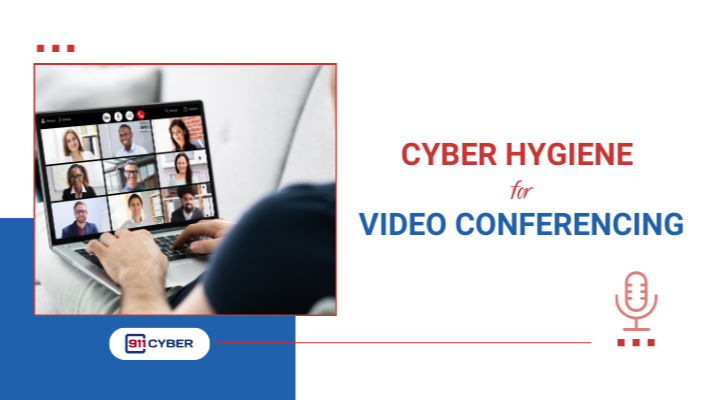
Video conferencing has undergone a remarkable evolution. Once a specialized corporate tool, it now connects millions of people daily for work, education, healthcare, and social interactions. Platforms like Zoom, Microsoft Teams, Google Meet, and Webex have made remote collaboration effortless, yet they have also expanded the cyberattack surface. Hackers now see video calls, meeting links, and even shared notes as potential entry points. Understanding the risks and adopting practical safety measures is essential for anyone who attends virtual meetings, whether for professional or personal purposes.

Video conferencing introduces several cybersecurity risks. Here are some key examples and real-life scenarios:
Unauthorized Access (“Zoombombing”)
Attackers joining meetings to disrupt sessions. In 2020, a NYC law firm reported an intruder posting offensive content during a client meeting, causing delays and reputational damage.
Phishing and Social Engineering
Fake invites or login pages trick users into revealing credentials. For example, a university in California experienced a phishing campaign where students were lured to a fake Zoom login, compromising hundreds of accounts.
Data Leakage
Screen sharing, recorded meetings, or shared notes may contain sensitive data. A multinational company once leaked proprietary financial forecasts because a recorded board meeting was mistakenly uploaded to a public folder.
Malware Distribution
Malicious links or files sent in chats during calls can infect devices. Attackers have disguised malware as “meeting resources” in Teams channels, leading to system compromises.
Eavesdropping
Weak meeting security can allow outsiders to listen in on confidential calls. In a high-profile case, journalists’ Zoom calls were infiltrated, leaking sensitive reporting plans.
Account Takeovers
Weak or reused passwords enable hackers to hijack accounts, sending fraudulent meeting invitations.
Recording Abuse
Unauthorized recordings can spread sensitive information or private conversations.
Risks from Note-Taking Apps
Many people use cloud-based note-taking apps like OneNote, Notion, or Evernote during calls. While convenient, these apps can also be a risk if linked to the same accounts used for video conferencing or if shared notes contain sensitive information. Misconfigured permissions, compromised accounts, or automatic AI-generated summaries can lead to leaks of confidential discussions, strategic plans, or personal data. Always control sharing permissions, enable two-factor authentication, and avoid storing passwords or highly sensitive content in these apps.
AI has significantly amplified the threats to video conferencing:
Deepfake Meeting Hijacks
Advanced AI can generate realistic faces and voices of executives or colleagues. Attackers have used AI-generated video to impersonate CEOs, tricking employees into transferring funds or sharing sensitive information.
Automated Credential Attacks
AI-driven bots can test millions of leaked passwords in seconds, making account takeovers faster and harder to detect.
Smart Phishing
AI can craft hyper-personalized phishing invitations and messages that are far more convincing than generic attacks, targeting colleagues with context-aware messaging.
Voice Spoofing
AI can mimic an employee’s voice in real-time to request information during live calls, bypassing traditional verification methods.
Contextual Exploitation
AI can scan meeting transcripts or notes (from integrated apps) to identify potential sensitive topics, then launch targeted attacks.
Risks of AI Note-Taking Apps
Modern AI note-taking tools (like Notion AI, Microsoft Copilot, or Otter.ai) can automatically summarize meetings, generate insights, or extract action items. While convenient, these apps can become a risk if attackers gain access, exposing confidential discussions, sensitive data, or strategic plans. Misconfigured sharing permissions or compromised accounts could allow AI-generated summaries to leak outside your organization.
These developments mean that traditional security measures like simple passwords or waiting rooms are no longer sufficient. Attackers can now exploit not just software vulnerabilities but human trust, amplified by AI’s ability to mimic and analyze real interactions.

📚Books
🎙️ Podcasts
▶️ Videos
Video conferencing has become an essential part of daily life, but convenience comes with responsibility. Cybercriminals now exploit every feature of virtual meetings, from screen sharing to note-taking apps, and AI is increasing these threats. Staying safe requires both technology and careful behavior. By combining strong security practices, awareness training, and cautious use of integrations, netizens can reduce risk and protect sensitive data.
Remember, security is not about fear, it is about control. Your virtual meetings are an extension of your digital footprint. Treat them as carefully as you would in-person gatherings and you will be able to collaborate safely in the evolving world of online communication.

Copyright © 2025 @ 911Cyber All Rights Reserved.

A free 15-min cybersecurity consultation