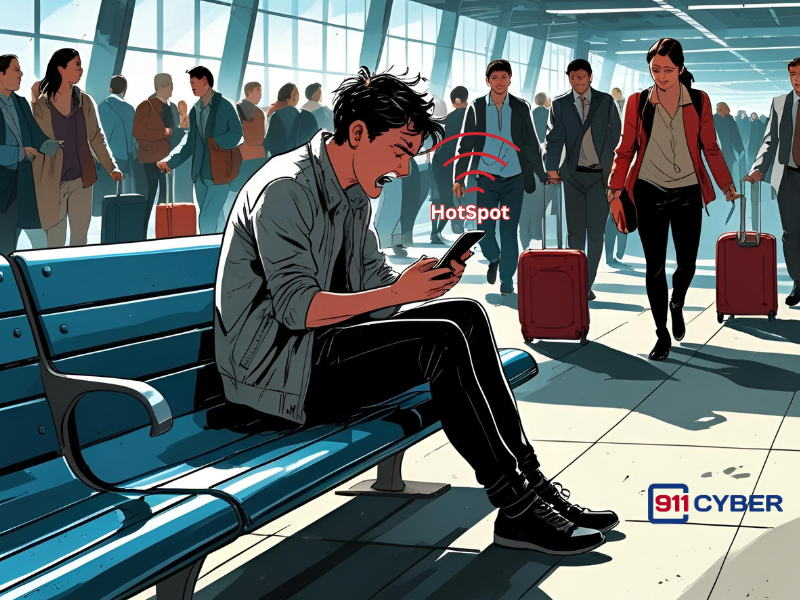
You’re not alone. Many people have shared their mobile hotspot to help others in a pinch. But when a situation feels off in hindsight, it’s natural to worry. Here’s what you need to know and what you can do next:
🧠 1. What Could Happen When You Share a Hotspot?
First let’s look at what could happen when you share your personal hotspot with a stranger. Sharing a hotspot isn’t automatically dangerous, but it does create a temporary network that someone else can use. Here’s what they can and can’t typically do:
✅ They can:
- Use your internet connection to browse, download files, or access apps.
- Potentially engage in suspicious or illegal activity that appears to come from your IP address.
- Try to exploit security flaws in your device if it’s vulnerable and not protected.
❌ They can’t (in most cases):
- Automatically access your personal data, passwords, or files just by using your hotspot.
- Hack your phone without exploiting a specific vulnerability.
- “Frame” you for something unless they intentionally used your network for something illegal. This is rare but worth being aware of.
🔒 2. What to Do Now (To Be Safe and Calm Your Nerves)
✅ Forget the device from your hotspot settings
Go into your phone’s hotspot history and remove or “forget” the stranger’s device so they can’t reconnect automatically.
✅ Turn off your hotspot
Don’t leave it on when you’re not using it. This prevents unauthorized use.
✅ Run a security scan
Use antivirus or anti-malware apps to check for signs of tampering, especially if you allow any file sharing or Bluetooth access.
✅ Change key passwords
While unlikely, if you felt the stranger had physical access to your phone or you noticed unusual activity, change passwords for sensitive accounts such as email or banking.
✅ Watch for suspicious activity
Keep an eye on your mobile data usage and emails for unexpected alerts, login attempts, or messages.
📵 3. Things to Remember for Next Time
- Avoid typing your hotspot password into someone else’s phone. If you do share, type it on your own phone and disable it afterward.
- Politely redirect them to airport Wi-Fi. Most airports have free or time-limited networks for this exact situation.
- Trust your instincts. If something feels off, it probably is. You’re not being rude; you’re being smart.
💡 The Bottom Line
You’re most likely not in trouble. It’s still a good idea to secure your device afterward and stay alert. You’ve learned something valuable, and that’s already a win for next time.
If you are still worried and start noticing strange device behavior, battery drain, or login alerts, don’t hesitate to talk to a cybersecurity professional at 911Cyber or contact your phone provider’s support team. Peace of mind is worth it.