Looking for quick answers about cybersecurity threats, best practices, or how to stay protected online?
A new Android malware called RatOn is targeting banking and cryptocurrency apps through malicious apps disguised as TikTok variants. This sophisticated malware can automate transactions, steal credentials, and even exploit NFC payment systems.
🛡️ Key Tips to Stay Safe:
📖 Read the full article to understand how RatOn works and how to protect yourself.
This is a classic scareware tactic. Scammers are sending emails claiming they’ve hacked your accounts and demanding Bitcoin. Most of the time, it’s a scam, but it can be alarming.
✅ Do not pay – it won’t solve anything.
✅ Delete the email – avoid accidental clicks.
✅ Change your passwords – especially for accounts mentioned or reused.
✅ Enable two-factor authentication (2FA) – add an extra layer of security.
✅ Report the incident – to the FTC or local authorities.
✅ Monitor your accounts – watch for unusual activity.
Learn how to identify threats, protect your accounts, and respond safely in our latest guide:
🛠 What Happened:
A Chrome extension with 100K+ installs turned into spyware, secretly taking screenshots of every site you visited, including banking, email, and work docs.
🔒 What To Do:
⚠️ Report It:
🔁 Stay Safe:
Audit extensions, avoid shady free VPNs, use trusted providers, and keep your security updated.
⚠️ Accidentally shared sensitive info online? Name, SSN, banking details, or login credentials might be exposed. Don’t panic!
1️⃣ Delete the chat/file
2️⃣ Change passwords & enable 2FA on critical accounts like email, banking, and social media.
3️⃣ Check accounts & devices for unusual activity
4️⃣ Treat sensitive identifiers as potentially exposed
5️⃣ Report if needed
Learn exactly what to do to secure your accounts, monitor for fraud, and protect your identity.
It’s crucial to act fast and thoroughly when your email account has been compromised. A hacked email is more than just an inconvenience. It can lead to identity theft, financial fraud, and the misuse of your contacts.
Here’s a summary of the key steps you should take immediately after discovering your email has been hacked:
✅ Try to Regain Access & Change Your Password
🛡️ Scan Your Devices for Malware
🔒 Secure Your Email Settings
📢 Alert Your Contacts
🌐 Secure Your Other Online Accounts
🧠 Be Vigilant and Learn from the Experience
📝 Document Everything
For more details check out this article.
Met someone on Tinder and now they’re threatening to share a recorded nude video call?
That is sextortion, and it is a serious crime.
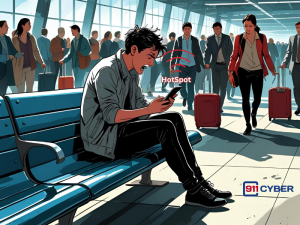
You’re not alone. Many people have shared their mobile hotspot to help others in a pinch. But when a situation feels off in hindsight, it’s natural to worry. Read this Article to know what you can do next: I shared my phone hotspot with a stranger at the airport. Am I in trouble?
If someone made or shared explicit images of you using AI (deepfakes) and you are under 18, it is illegal and considered child sexual abuse material (CSAM) in most countries, even if the images were created artificially. You are not in trouble, the person who made or shared them is. For more help, read the full article
✅ Short Answer:
If your phone was stolen and your number is now in the hands of attackers, they can intercept 2FA codes and hijack your accounts. This is a critical security emergency.
So what can you do?
📞 Contact your mobile carrier’s fraud department. Report the SIM swap and reclaim your number. Lock the account with a new PIN and password.
🔐 Change passwords for all major accounts, especially email and banking. Do it from a secure trusted device.
🚫 Remove SMS 2FA from every account. Switch to app-based authentication like Google Authenticator or Authy.
📲 Use Find My Device or Find My iPhone to remotely wipe the stolen phone if possible.
🧼 Factory reset your new phone to remove any potential spyware. Don’t restore from a compromised backup.
💬 Need help?
You can also reach out to 911Cyber. We support cybercrime victims confidentially and can guide you through recovery, reporting, and ongoing protection.
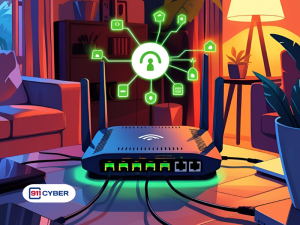
Your home Wi-Fi could be a hacker’s entry point to your data, devices, and even your kids’ privacy.
Here’s how to secure it:
Bonus: MAC filtering and static IPs offer advanced control.
Want to know more? Read full article
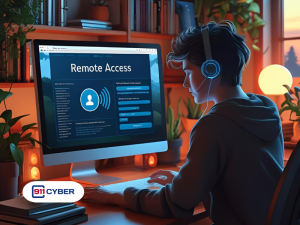
If you granted remote access to a scammer whether through AnyDesk Software, TeamViewer, Chrome Remote Desktop, or Microsoft Remote Desktop, take the following steps immediately to secure your devices and accounts:
Disconnect from the internet immediately.
Then:
Force shut down your computer.
Use a trusted device to change your passwords (bank, email, etc.).
Run a full malware scan or consult a cybersecurity expert.
Report the incident, especially if financial info was exposed.
If in doubt, assume everything on your device may have been seen or copied.
Read full article Here