The Attack on Human Reality
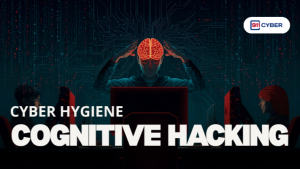
Cognitive hacking is the deliberate manipulation of human thought. It targets perception, memory, judgment, and decision-making by using digital channels like
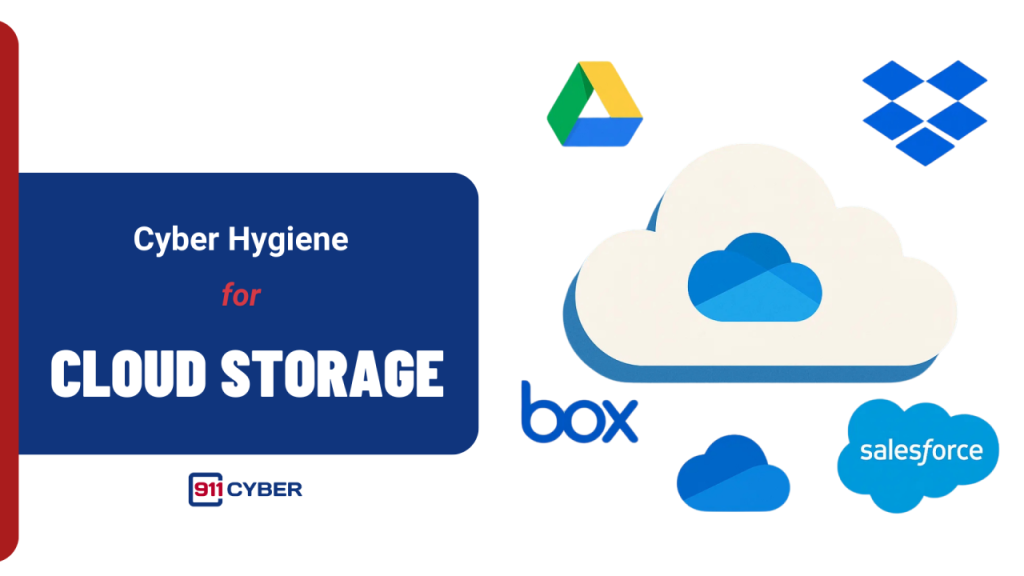
Cloud storage is not some magical place in the sky. It is essentially renting space on someone else’s computer. When you upload files to services like iCloud, Google Drive, Dropbox, Box, or Microsoft OneDrive, they are stored on servers owned and managed by these companies. Your documents, photos, spreadsheets, and backups are synced across your devices and made available anywhere you have an internet connection.
The convenience is undeniable. Cloud storage lets you access your files from your phone, laptop, or tablet. It automatically backs up your work, makes sharing with colleagues or friends easy, and allows real-time collaboration.
But convenience comes with trade-offs:
And the harsh reality: once your files are uploaded, taking them back is almost impossible. Deleting them from your account does not guarantee they are completely erased from backups, caches, or logs. Every file in the cloud exists in a complex network that you only partially control.
The cloud is powerful, but it is not a substitute for good digital hygiene. Treat it like shared storage, not private storage.

When you put files into the cloud, you are trusting a system you do not fully control. And when things go wrong, they tend to go very wrong.
Hackers do not need to break the servers, just your password. A single phishing email or a reused password from an old leak can give attackers access to your entire account.
Sometimes the threat is inside the house. Insider abuse is real. Cloud providers employ thousands of engineers and contractors. One careless click or bad actor can expose massive amounts of data.
The cloud is not immune from legal pressure. Governments can demand access to your files without warning. Once data is copied, there is no guarantee it will stay private.
Not every breach is a hack. Sometimes it is a mistake. Misconfigurations like open storage buckets are a common cause of large leaks.
Ransomware has moved into the cloud. Criminal groups can encrypt or delete files in cloud accounts directly, creating a business-wide disruption.
Silent syncing can betray you without warning. Phones, apps, and collaboration tools automatically upload files, sometimes exposing sensitive information without your knowledge.

The same features that make the cloud powerful, such as centralization, access from anywhere, and automatic syncing, are also what make it a high-value target when hygiene is ignored.
You cannot make public cloud storage bulletproof, but you can make it much harder for attackers or accidents to cost you everything. Practicing cloud storage hygiene means treating your files with the same care you give to your finances or your health records.
✅ Audit Your Cloud Accounts List every service where you store data, such as iCloud, Google Drive, OneDrive, Dropbox, and Box. Delete any accounts you no longer actively use.
✅ Clean Out the Junk Delete old files, duplicates, and documents you do not need. Less clutter means fewer opportunities for sensitive information to leak.
✅ Encrypt Before You Upload For sensitive documents like IDs, contracts, and medical records, encrypt files locally before placing them in the cloud. Tools like VeraCrypt or built-in OS encryption work well.
✅ Use Strong Access Controls Enable multi-factor authentication (MFA) on every service. Use unique, strong passwords stored securely in a password manager. These steps prevent attackers from gaining access with stolen credentials.
✅ Segment Your Storage Do not keep everything in one account. Separate personal and professional files to limit damage if one account is compromised.
✅ Turn Off Auto-Upload for Sensitive Files Phones and apps often sync photos and documents automatically. Disable auto-upload for items you do not want online.
✅ Monitor for Breaches Use services like HaveIBeenPwned to check if your accounts or emails have been exposed. Act immediately to change passwords if a breach is detected.
Remember: cloud hygiene is less about trusting the provider and more about controlling what you put inside.
For your most sensitive files, think beyond Big Tech’s cloud.
Tools like NextCloud or ownCloud let you run a private cloud on your own server or even a Raspberry Pi. Full control, your rules.
Keep backups on external SSDs or USBs with built-in hardware encryption. Disconnect them when not in use.
Store everyday files in public cloud, but archive sensitive ones offline or in your private cloud.
📚Books
🎙️ Podcasts
Cloud storage makes life easier, but ease often hides danger. The devil is not in the technology itself, but in the small habits we overlook: weak passwords, ignored updates, reused credentials, and blind trust in providers.
Your data is valuable. Treat it like cash, not clutter. Audit your accounts, enforce strong access controls, encrypt sensitive files, and never assume “someone else’s computer” is safer than your own.
The cloud is here to stay. The question is whether you’ll float safely above the risks, or get caught in the storm.

Copyright © 2025 @911Cyber All Rights Reserved.

A free 15-min cybersecurity consultation