The Attack on Human Reality
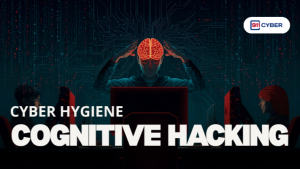
Cognitive hacking is the deliberate manipulation of human thought. It targets perception, memory, judgment, and decision-making by using digital channels like
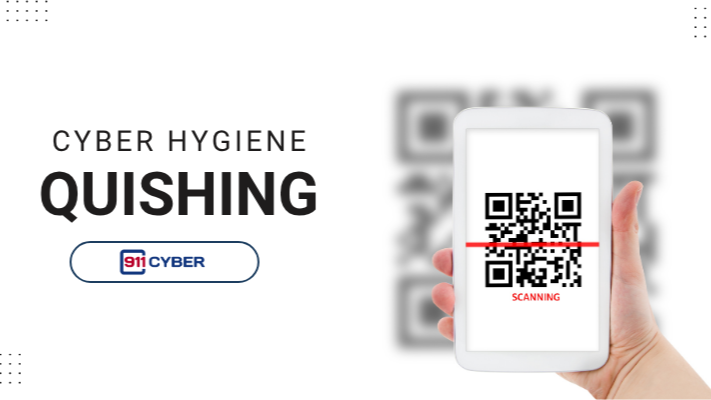
Quishing, also known as QR code phishing, is a sophisticated cyberattack that exploits the convenience of Quick Response (QR) codes. Attackers embed malicious links within these codes and distribute them via emails, physical stickers, or social media to bypass traditional security filters.
It is a form of phishing that leverages the increasing popularity and trust people place in Quick Response (QR) codes.

Quishing poses several significant threats to both individuals and organizations, primarily by tricking users into giving up sensitive information or downloading malicious content. Scanning a fake QR code can lead to significant risks:
Credential Theft
Users are redirected to fake login pages designed to steal passwords for bank accounts, email, or corporate systems.
Malware Installation
The code can automatically trigger the download of viruses, spyware, or ransomware onto your smartphone or computer.
Financial Fraud
Scams often trick victims into entering credit card details on fake payment portals or unknowingly transferring funds to the attacker.

Quishing works because it exploits trust and convenience. Unlike traditional phishing emails where suspicious links are visible, QR codes hide the destination until scanned. People are used to scanning codes quickly in restaurants, parking lots, airports, or even business documents without questioning the source.
Attackers also take advantage of:
• Human behavior: We expect QR codes to be safe and useful
• Visual deception: Malicious stickers can be placed over legitimate codes
• Technology gaps: Many security filters, like email scanners, cannot detect malicious links hidden inside QR codes
• Mobile-first risks: Phones often bypass traditional endpoint protections, making them easier targets
The combination of hidden links, trust in physical objects, and fast user interaction makes quishing especially effective.

Not exactly. The QR code is just an image. The risk comes from what it links to. Attackers generate malicious codes, but they can’t “infect” a legitimate code after it’s created.
They can be, but attackers often place fake stickers over real codes. Always double-check that the code looks official and hasn’t been tampered with.
Most of the time, no. The main risk happens when you open the website or download something. But some phones auto-open links. Check your settings.
It is generally recommended to use your phone’s built-in camera or a highly trusted security-focused scanner app. The native camera features on modern smartphones (iOS and Android) are designed to show a URL preview before opening the link, which is your best defense. Downloading random third-party scanner apps carries its own risk, as some can collect your personal data or even contain malware themselves.
If the malicious website simply opened on your phone but you didn’t click anything or enter any data, the risk is usually low. Your immediate steps should be:
🛑 Close the Browser. Immediately close the web browser tab or app.
📴 Disconnect. Quickly turn off Wi-Fi and cellular data to cut off any potential background connection or download.
🧹 Clear Data. Go into your phone’s browser settings and clear your history and website data to remove any temporary files left by the malicious site.
📚Books
🎙️ Podcasts
▶️ Videos
Quishing is a powerful reminder that convenience often comes with a new security risk. Because the QR code format bypasses many of the traditional email security checks we rely on, your personal vigilance is the single most important defense against this rapidly growing threat. We don’t have to stop using QR codes entirely: they are a valuable tool, but we must change how we use them. By moving the malicious link from text into an image, criminals force us to let down our guard, especially when scanning with our personal mobile devices.
The key to staying safe is to adopt a mindset of “Scan, Pause, Inspect, Then Click.” Make it a habit to pause, check the URL that pops up on your screen for any misspellings or odd characters, and verify the source before proceeding. Combine this awareness with Multi-Factor Authentication (MFA) on all your critical accounts, and you will be well-protected. By remaining cautious and informed, we can continue to enjoy the convenience of modern technology while effectively shutting down the next wave of sophisticated cyberattacks.

Copyright © 2025 @ 911Cyber All Rights Reserved.

A free 15-min cybersecurity consultation