XStore Documentation

What to Do If You Unknowingly Gave Remote Access to a Stranger?

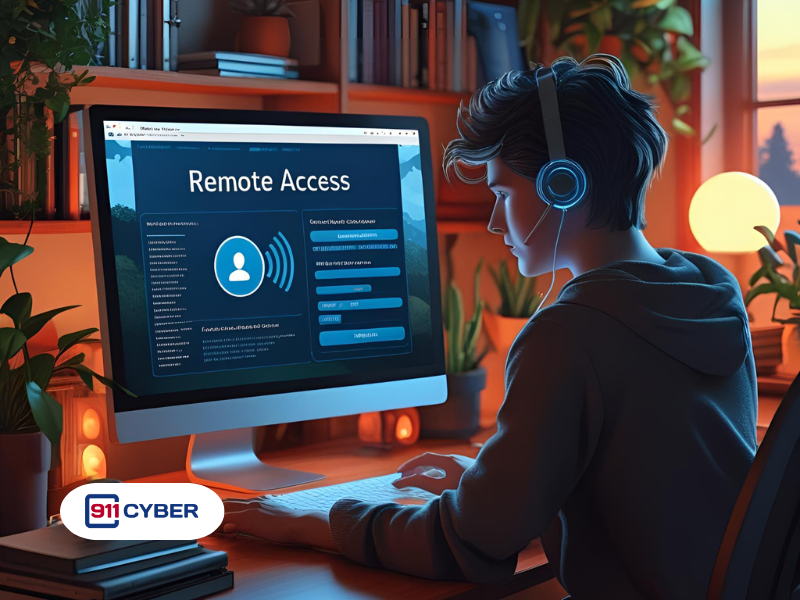
It usually starts with a phone call, a popup, or a message saying there’s something wrong with your computer. Maybe they claimed to be from Microsoft, your bank, or a tech support team. Maybe they asked you to install something like TeamViewer, AnyDesk, or Chrome Remote Desktop. You clicked. They connected.

 Now you’re wondering: What just happened? What can they see? What should I do?

Don’t panic! Here’s exactly what to do next. 


🔒 Immediate Actions


  1. Disconnect from the internet:

Cut off the scammer’s live access by temporarily taking the device offline.

  • Turn off Wi-Fi or unplug the ethernet cable if you are on PC/Mac
  • On mobile devices you have the option to switch to Airplane Mode.
  • Leave the device offline until you’re sure the remote session has ended and malware has been removed.


  1. End the remote session & uninstall the remote access software

Remove the tool the scammer used so they can’t reconnect:

👉 For AnyDesk

  • Click the red “Disconnect” button to end the session.
  • Go to Settings, followed by Security and disable Unattended Access if it was enabled.
  • Uninstall the app from your system or phone.

👉 For TeamViewer

  • Close the session or the app window.
  • Check if Easy Access or Unattended Access was set in the settings and disable them.
  • Uninstall TeamViewer.

👉 For Chrome Remote Desktop

👉 Microsoft Remote Desktop (Windows RDP)

  • Go to Settings, then System, followed by Remote Desktop and toggle it off.
  • Disable Remote Assistance in System Properties.


3. Scan your device for malware or spyware

Scammers often install malicious tools like keyloggers or backdoors.

  • If you are a Windows user, use Microsoft Defender or Malwarebytes for a full system scan. Consider running scans in Safe Mode.
  • For Mac, use Malwarebytes for Mac or check Activity Monitor for unknown background processes. Delete suspicious apps.
  • Android users can scan using Google Play Protect or mobile antivirus (e.g. Bitdefender, Avast). Revoke device admin or accessibility permissions from unknown apps.
  • iPhone/iPad users can delete any remote apps by going to Settings > General > VPN & Device Management.


  1. Change your passwords immediately

    Assume the scammer may have seen or stolen saved credentials.

  • Use a different (safe) device to reset your Email accounts (Gmail, Outlook), Banking and financial logins as well as Social media accounts.
  • Enable two-factor authentication (2FA) on all critical accounts to block access even if the scammer has your password.
  • Use a password manager to create strong, unique passwords for each site.


  1. Review your device for unauthorized changes or apps

On PC/Mac

  • Check installed programs and browser extensions.
  • Look for new user accounts with admin rights.
  • Disable unknown startup items.

On Android/iOS

  • Check for newly installed apps or tools.
  • Review permissions, especially screen sharing or remote control features.
  • Delete any configuration profiles that weren’t there before.


  1. Inspect your financial accounts and notify institutions

    If the scammer accessed your online banking or payment apps:

  • Log in (from a clean device) and review all recent transactions.
  • Contact your bank or card provider if anything looks suspicious or if you shared sensitive info like card numbers or SSNs.
  • Freeze or cancel affected cards if needed.
  • Alert your bank that your device was compromised, they may issue new credentials or add monitoring.


🔁 Ongoing Monitoring & Protection


  1. Monitor your credit and identity for long-term fraud

    If personal or financial information was exposed it is a good idea to:

  • Check your credit reports every now and then
  • Set up a fraud alert with one of the credit bureaus (Experian, Equifax, TransUnion).
  • For stronger protection, consider a credit freeze, which blocks new credit account creation.


  1. Report the scam to the proper authorities


  1. Be alert for follow-up scams

  • Studies suggest that scammers often re-target previous victims.
  • Do not respond to unsolicited calls, texts, or pop-ups, even if they claim to be helping you “fix” the issue.
  • Block numbers and email addresses you suspect were used by the scammer.


  1. Consider a full device reset if unsure

If the device still behaves strangely, or you can’t confirm it’s clean:

  • Backup your data, then perform a factory reset (phones/tablets) or a clean OS reinstall (PCs/Macs).
  • This ensures all malware and hidden access points are removed.


Need help? Get expert guidance and specialized tools to assist in scam recovery and device cleanup here.

Get Help

Online Scam Prevention & Recovery

Schedule a free consultation

 A free 15-min cybersecurity consultation